Stickies
Therapists asked us for a way to message clients. This is our response to that - messaging with a twist so that it doesn’t turn into an async therapy session.
Stickies are available for active clients who have portal access.
A Stickie is a short note, just like the real-life version, that you can leave in the client portal or a client can leave for you. It’s perfect for saying things like, “Bring this up next time,” without starting a conversation that needs attention now.
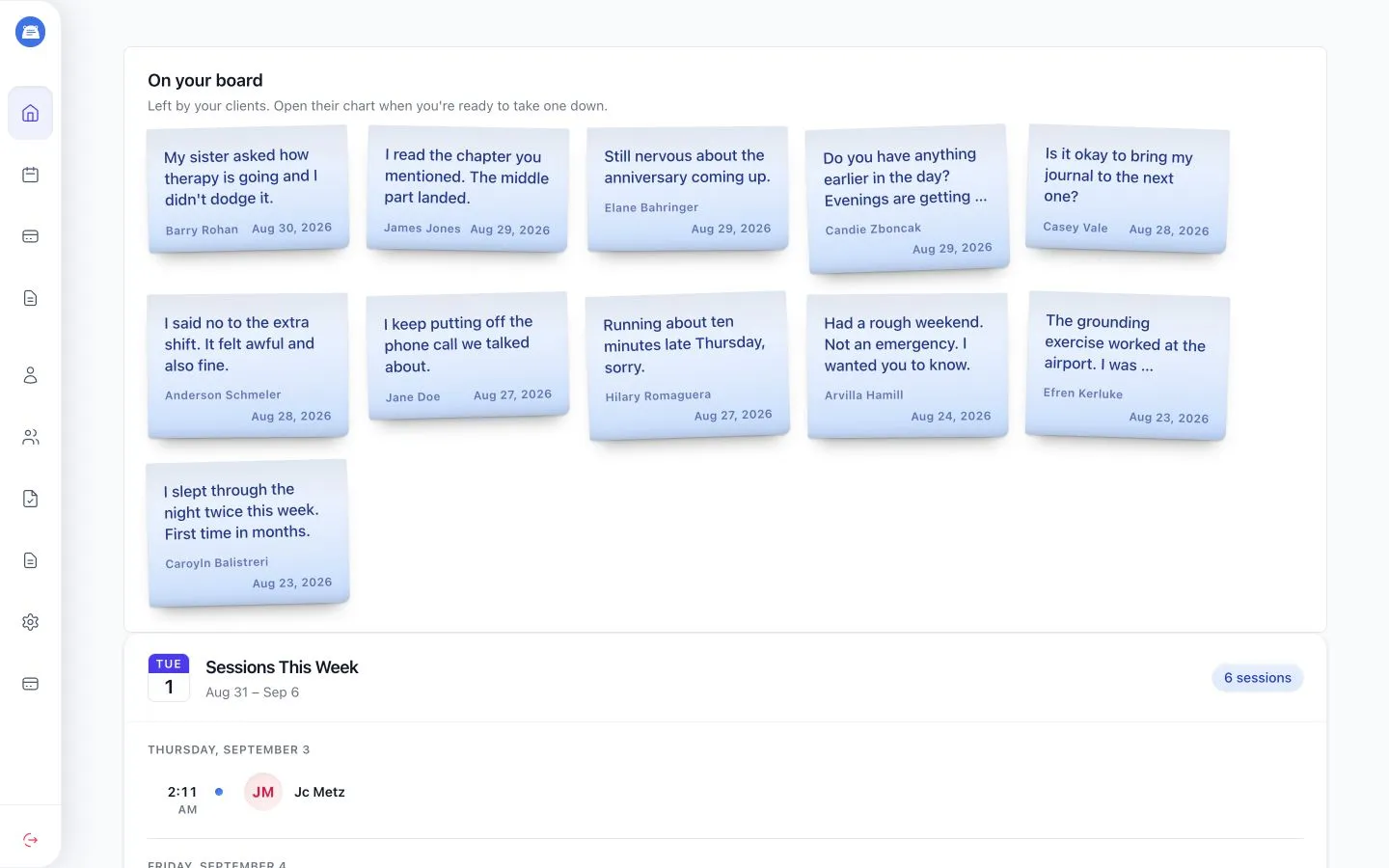
Stickies have constraints - on purpose!
Section titled “Stickies have constraints - on purpose!”- Stickies are limited to 500 characters.
- You can have one Stickie up for a client, and they can have one up for you. Each Stickie must come down before another is left.
- Clients can leave Stickies for you from their own board too.
- Whoever receives a Stickie can respond and take it down, or take it down without responding.
Email notifications
Section titled “Email notifications”| Action | Who gets an email | What the email says |
|---|---|---|
| You leave a Stickie for a client | The client | A Stickie is waiting, with a link to the portal. The message is not included. |
| A client leaves a Stickie for you | No one | The Stickie appears on your board. You won’t get an email. |
| You respond to a client’s Stickie | The client | The Stickie came down, with a link to the portal. Your response is not included. |
| You take down a client’s Stickie without responding | The client | The Stickie was read and came down, with a link to the portal. |
| A client responds to your Stickie | No one | The Stickie comes down. You won’t get an email. |
Leave a Stickie for a client
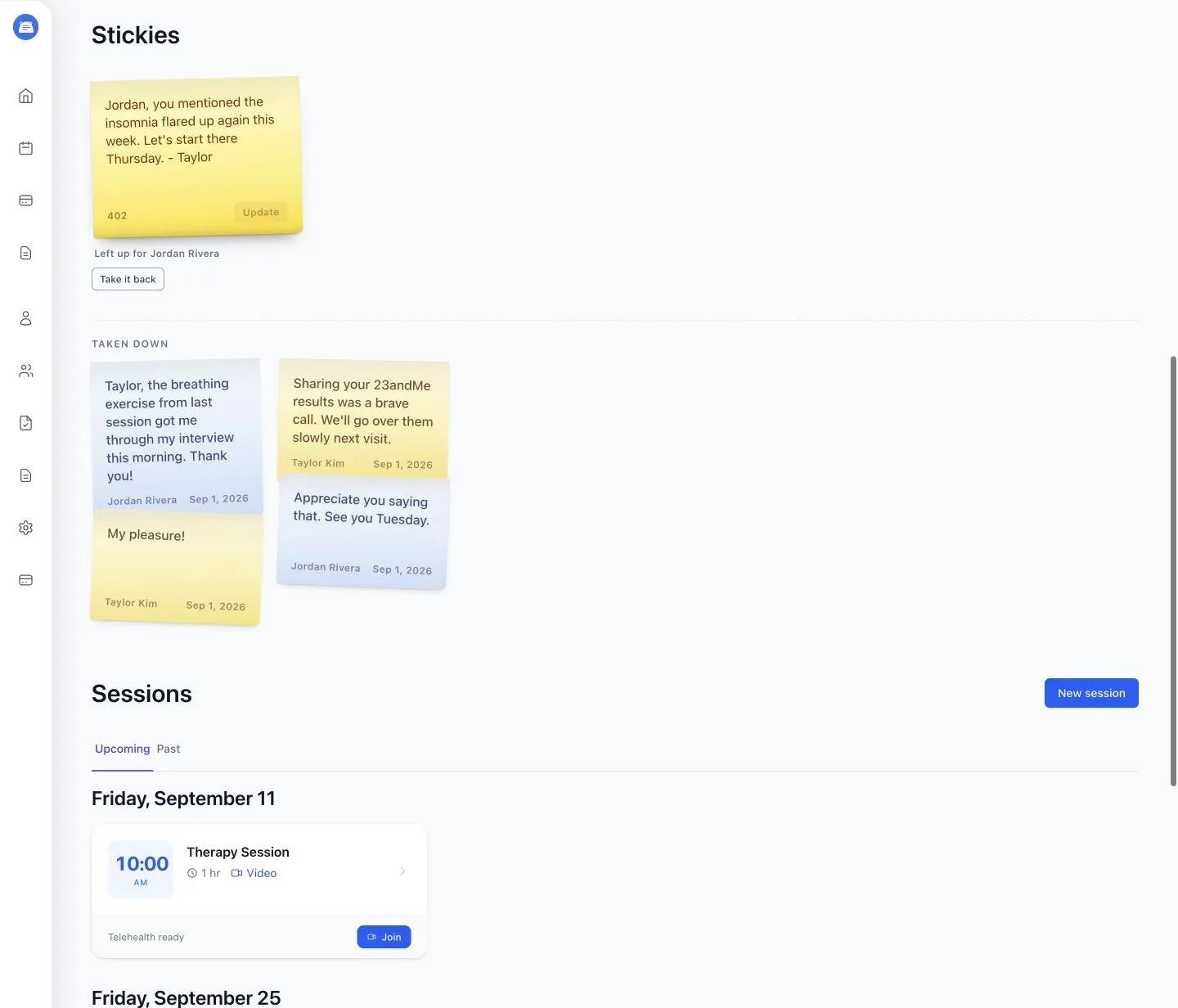
Section titled “Leave a Stickie for a client”Start from the client’s profile:
- Open a client’s profile.
- Scroll to Stickies.
- Write a short message.
- Click Leave it up.
You can rewrite your own Stickie by clicking it and choosing Update, or remove it with Take it back.
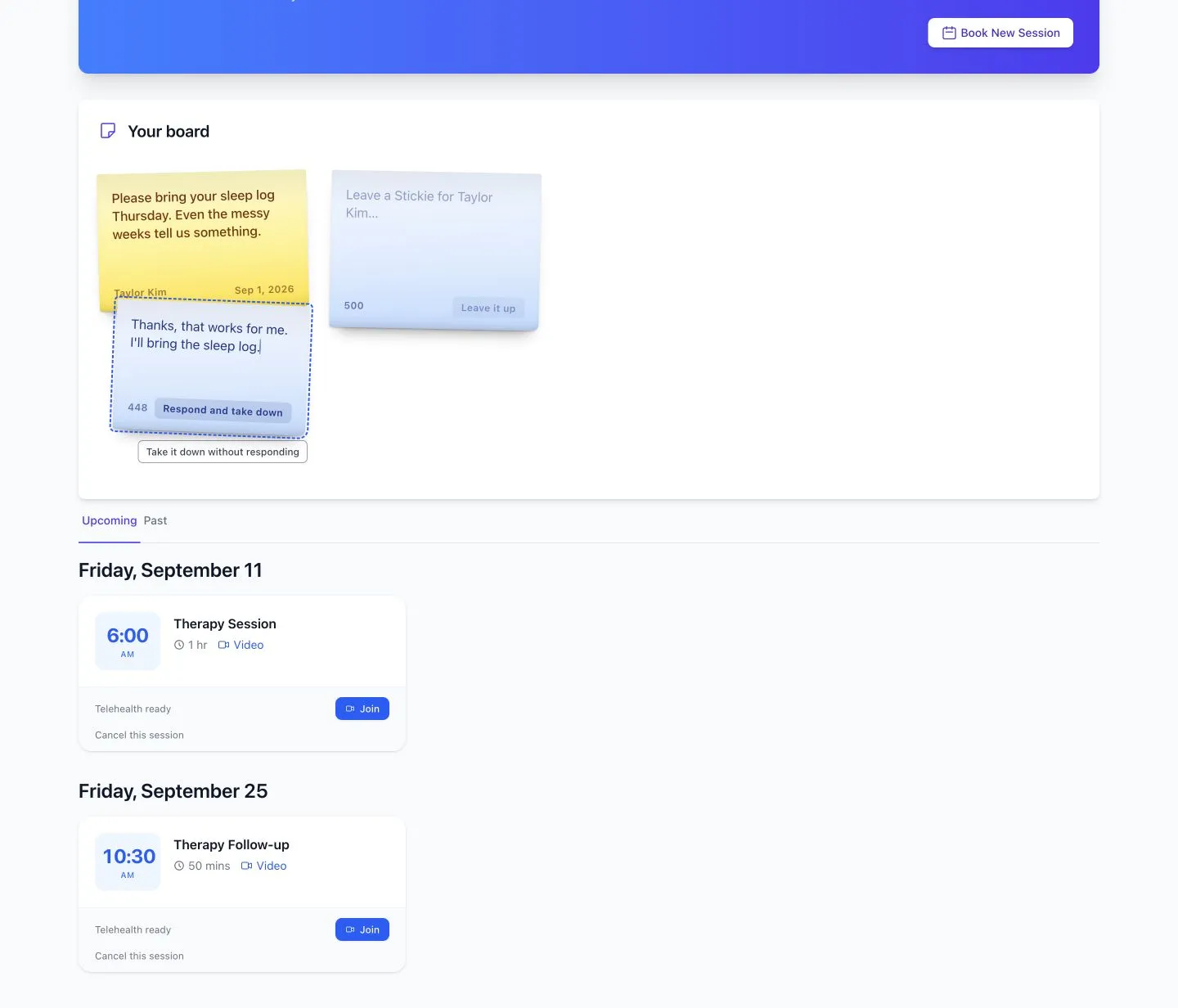
How clients see it
Section titled “How clients see it”Clients find your stickie in their portal. They can write a response and click Respond and take down, or choose Take it down without responding. After either action, the Stickie leaves the active board.
When a client leaves a Stickie for you, you’ll see it on your home page under On your board and on that client’s profile.